Epicor安装步骤
目录
一、windows server系统安装,更新补丁
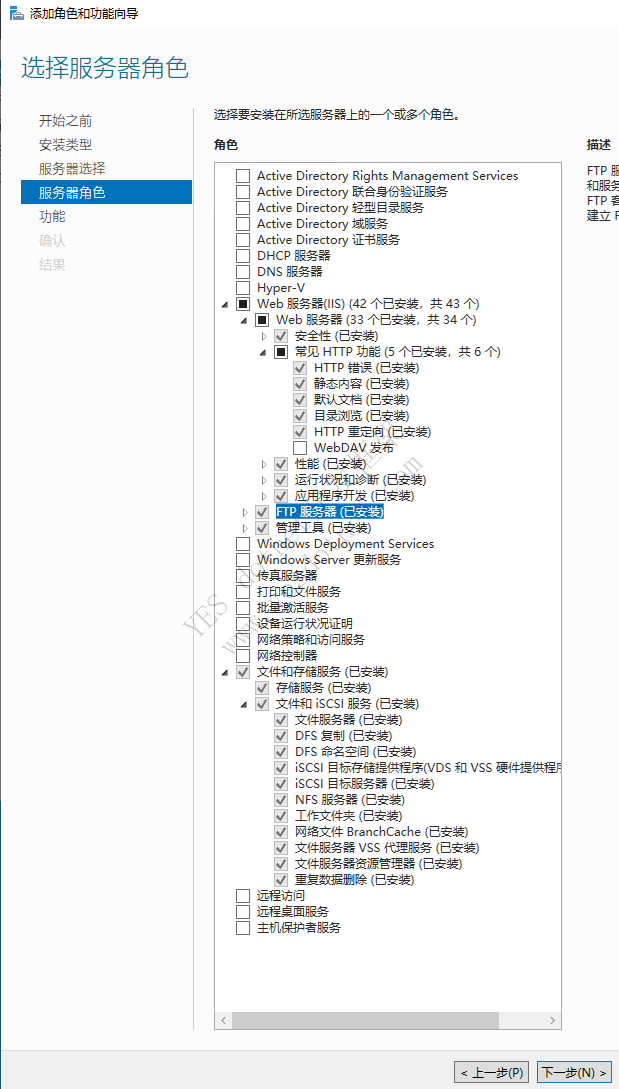
二、IIS安装
不能安装WebDAV,装了后会影响收藏夹删除功能,会返回405报错
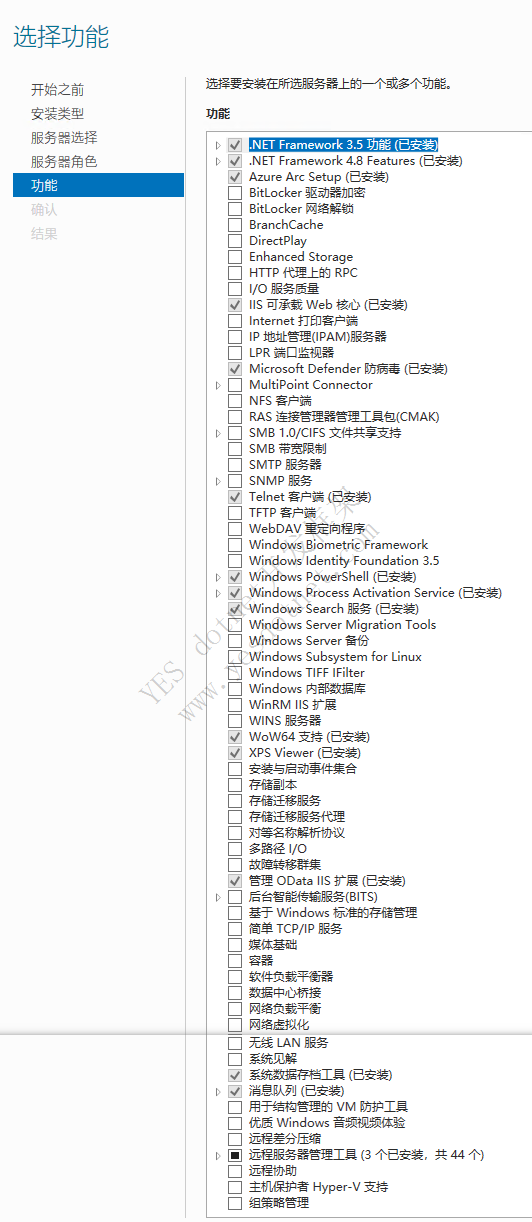
三、安装dotnet-sdk、dotnet-hoting、NDP48-DevPack-ENU
如果没有安装IIS,先安装dotnet环境,特别是host build,那么就不会安装IIS模块,从而导致epicor应用启动失败。解决办法就是重新安装点击修复按钮,会自动安装IIS缺少的模块。建议先安装IIS
四、SQLServer数据库安装
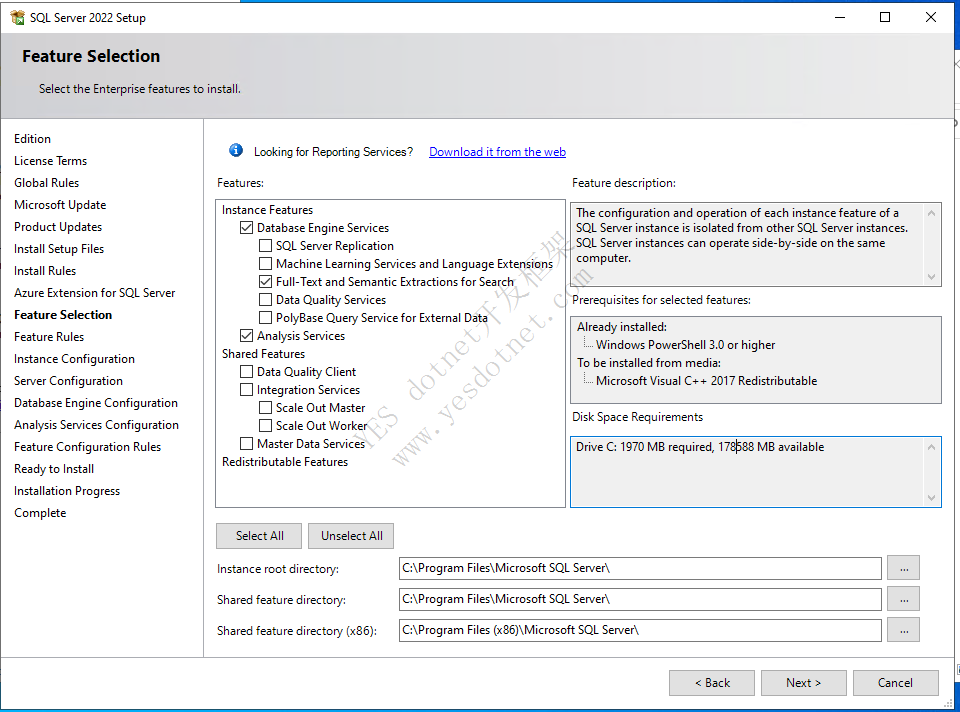
五、SQL Server Reporting Service安装
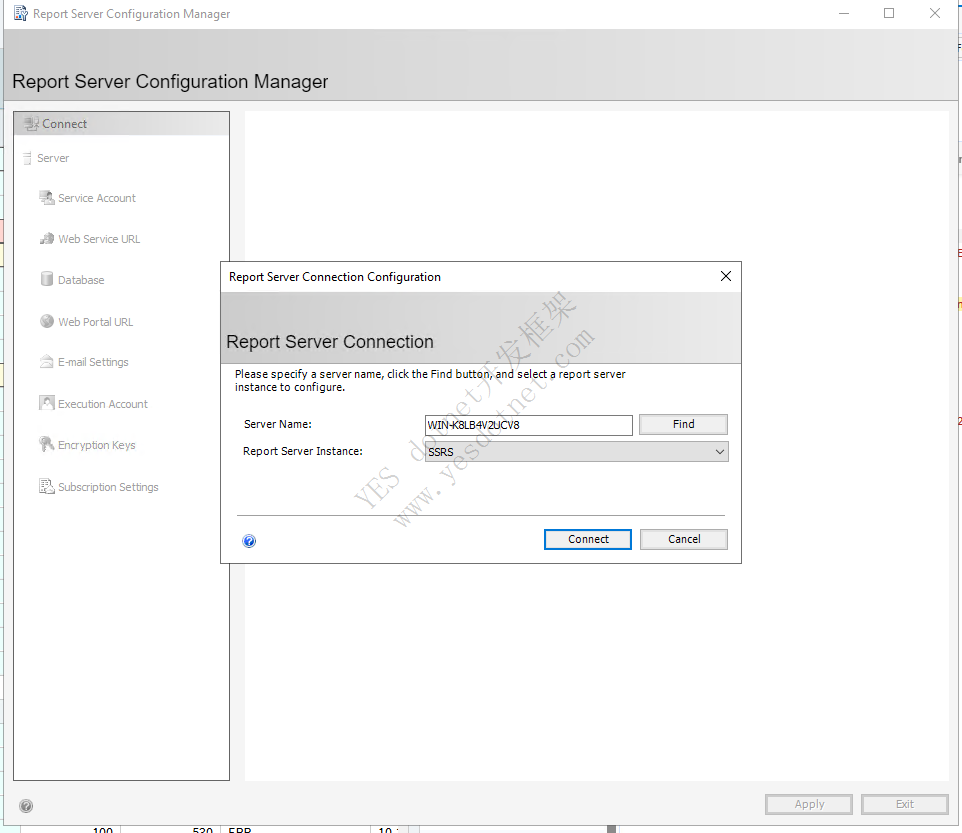
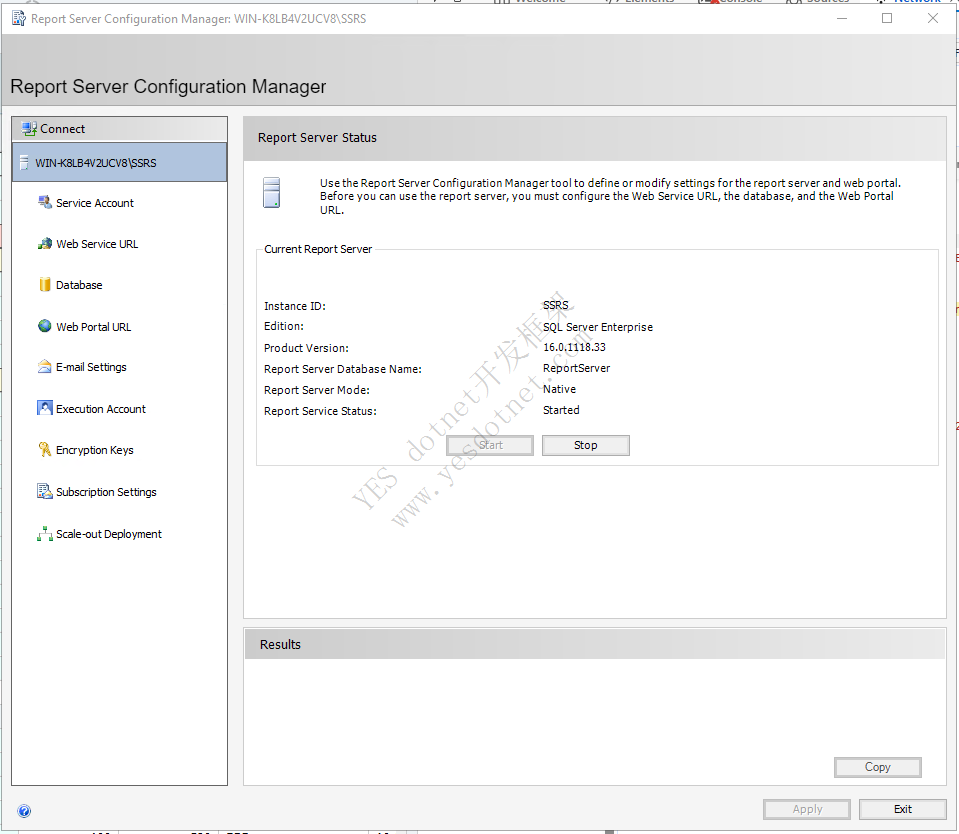
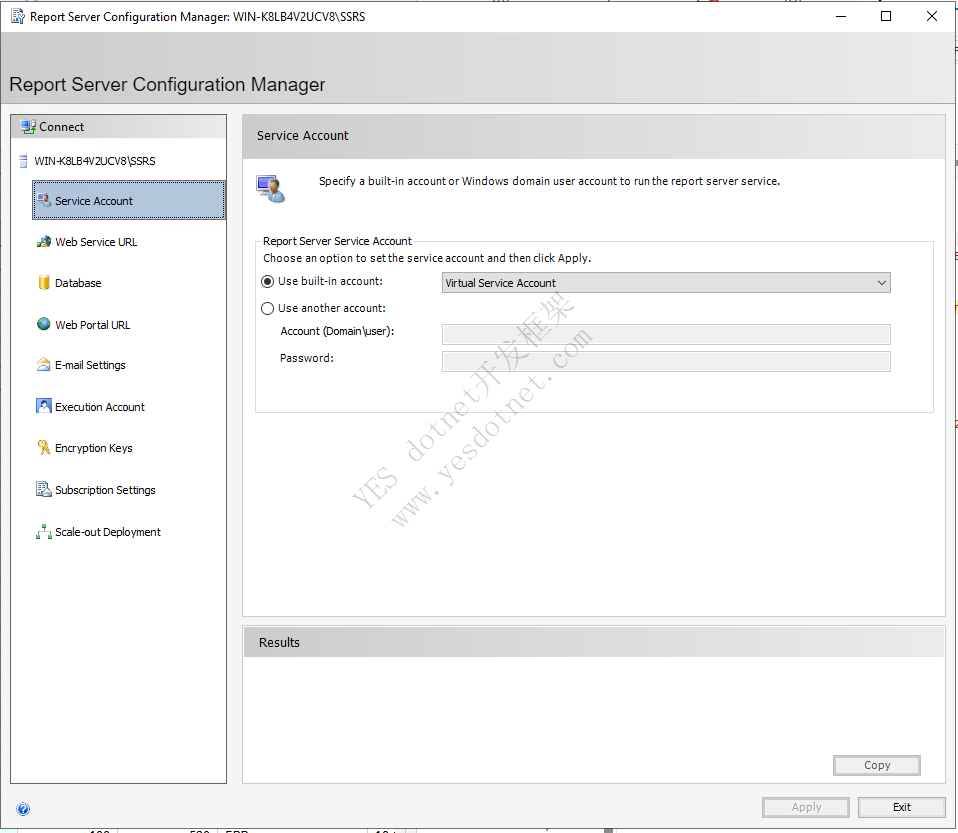
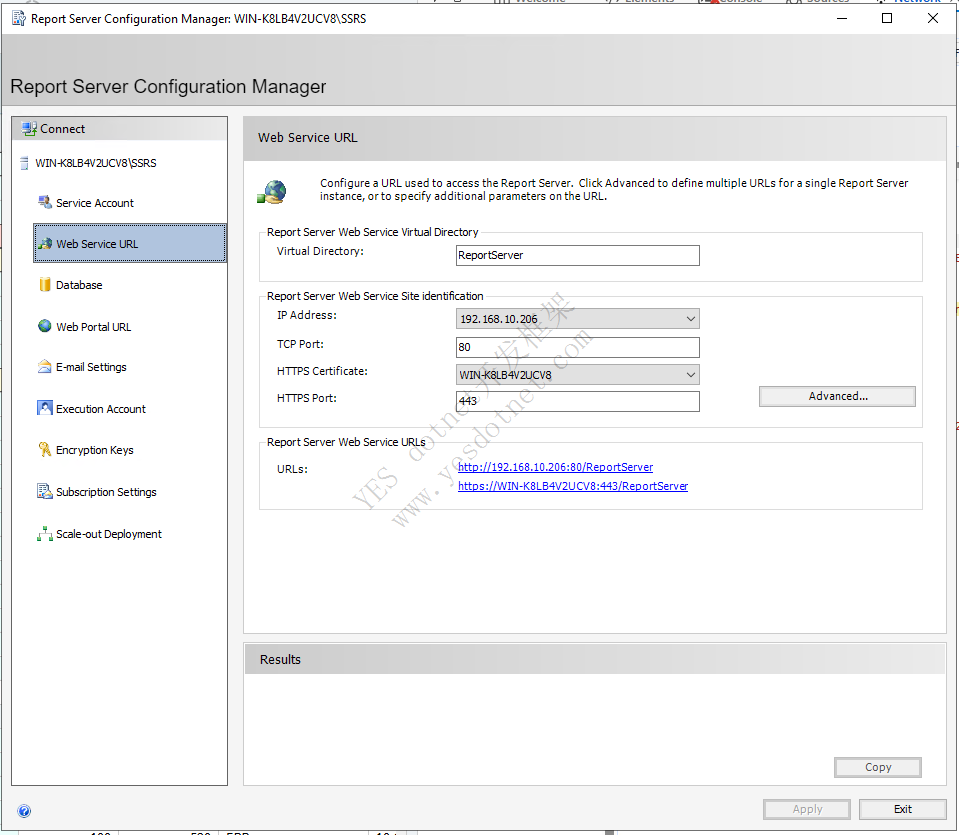
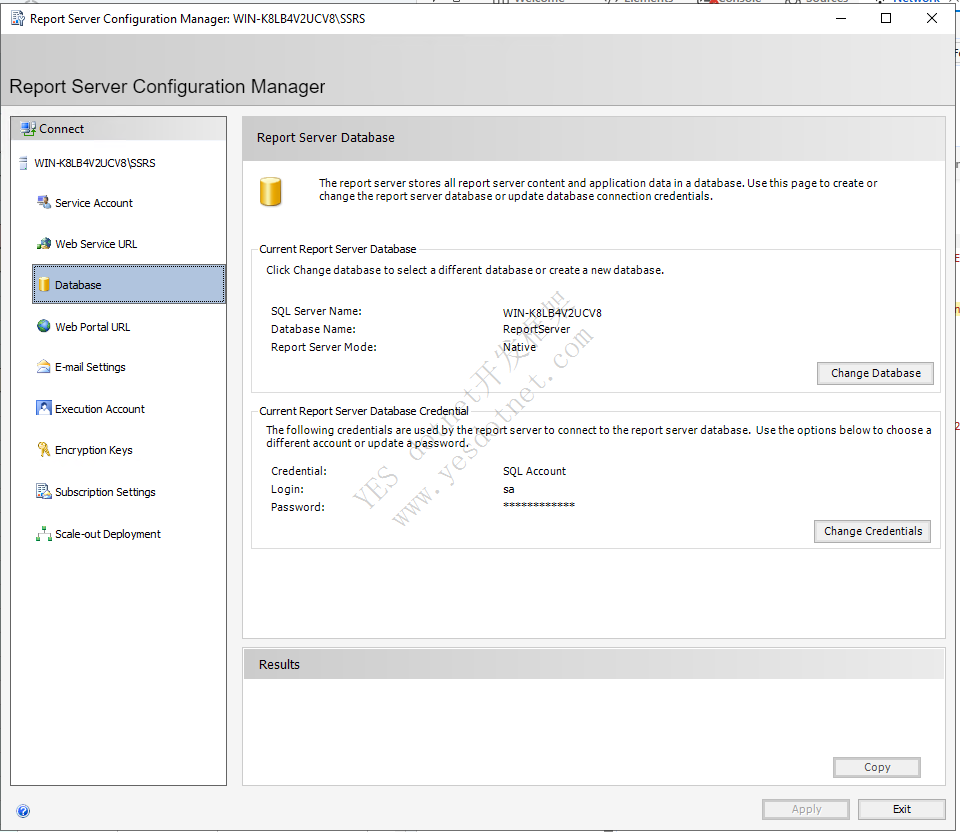
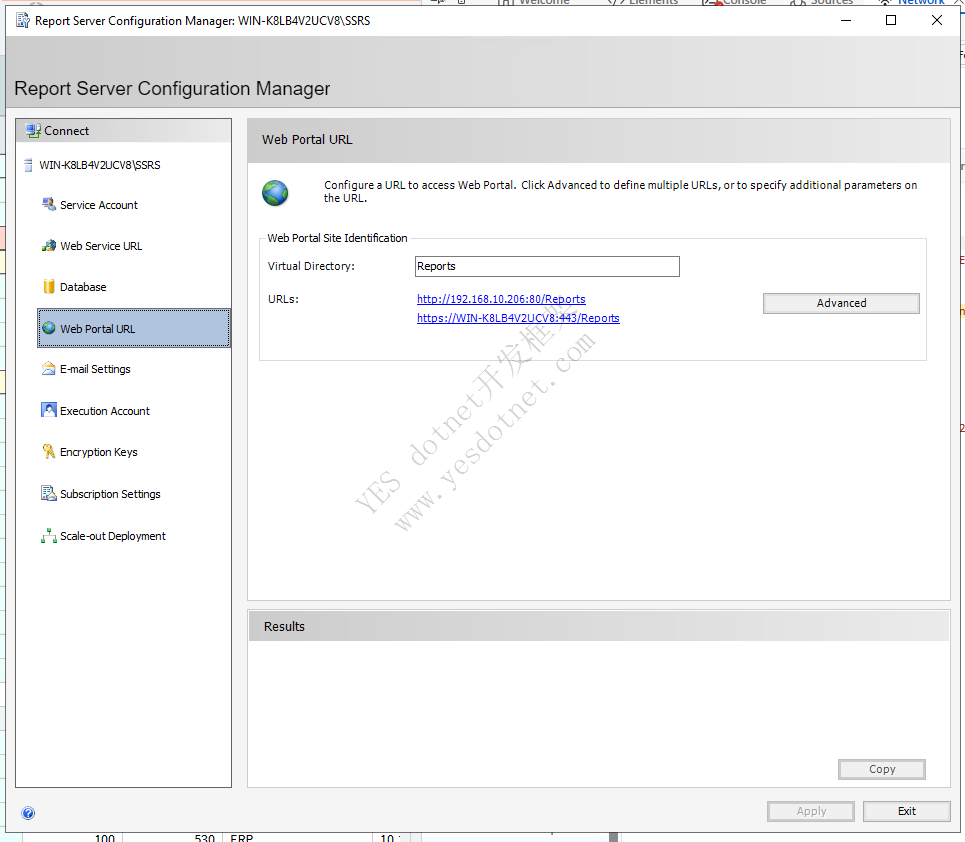
如果Web PortalUrl提示以下警告。可以尝试重启系统
The Web Portal virtual directory name is not configured. to configure the directory,enter a name of use the default value that is provided,and the click apply
后面几个无需设置,保持默认即可。
六、Kinetic Server安装
6.1 安装RL12.0.100.0
6.2 安装UD12.0.100.7
6.3 DataBase配置
6.4 ServerManagement配置
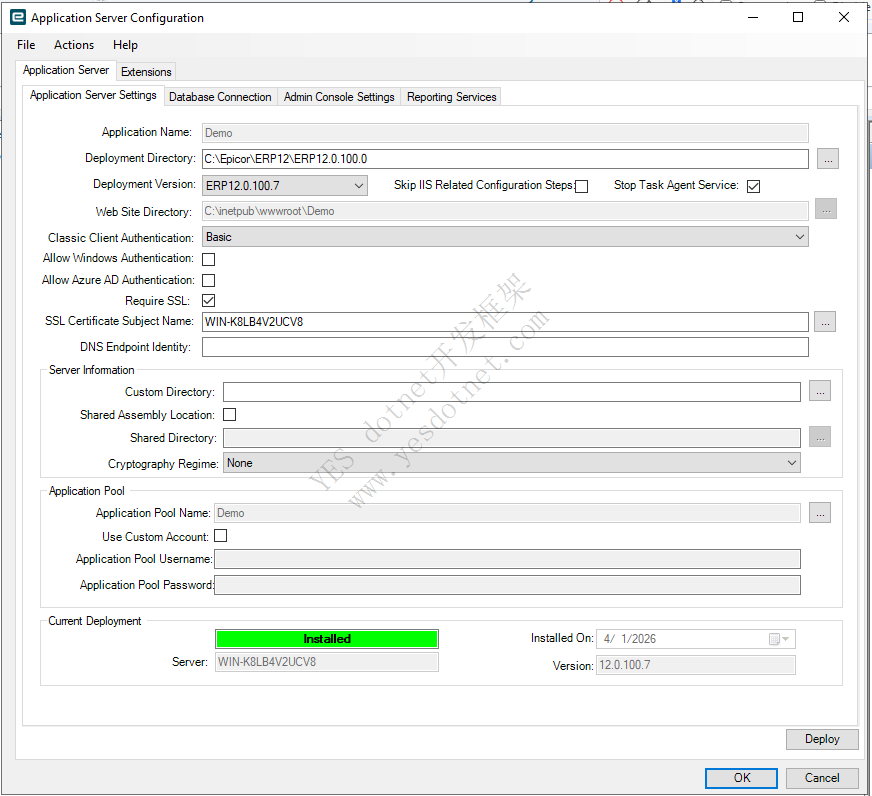
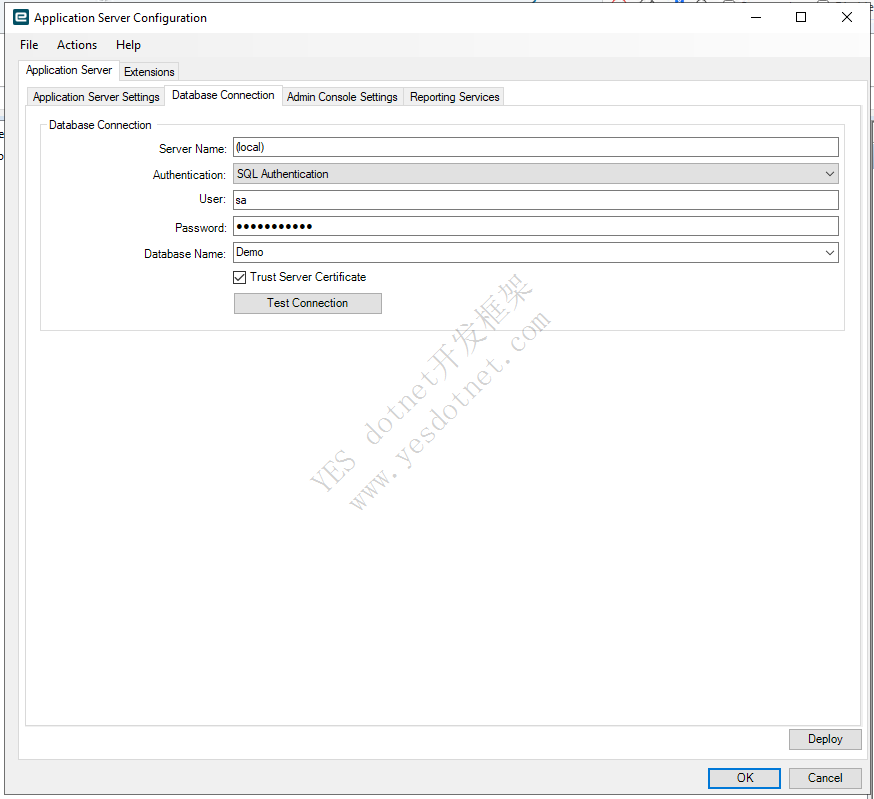
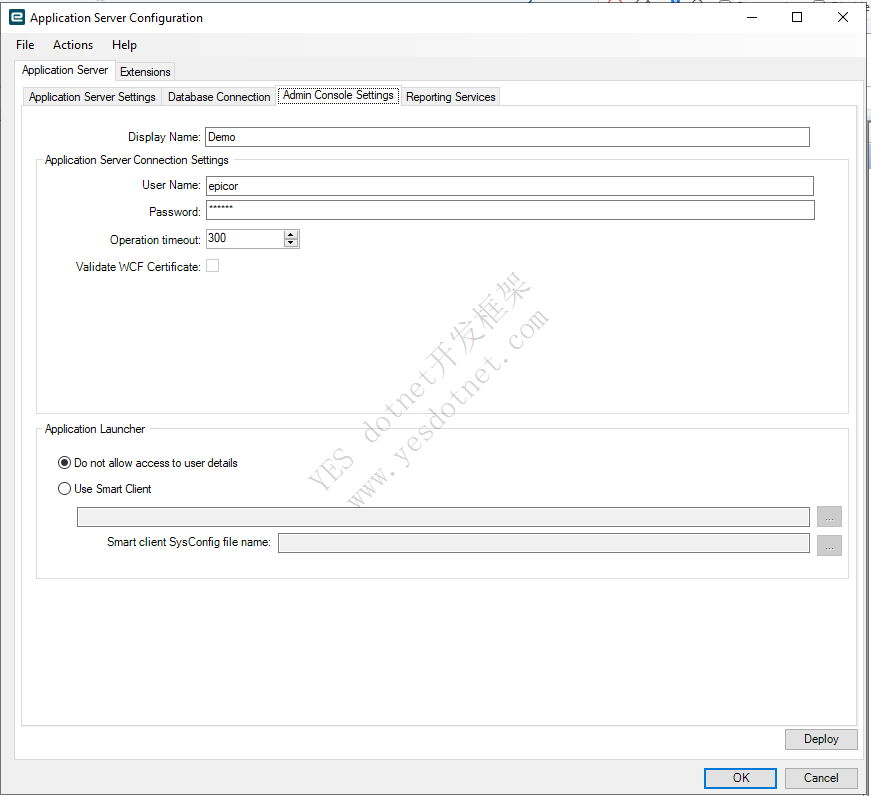
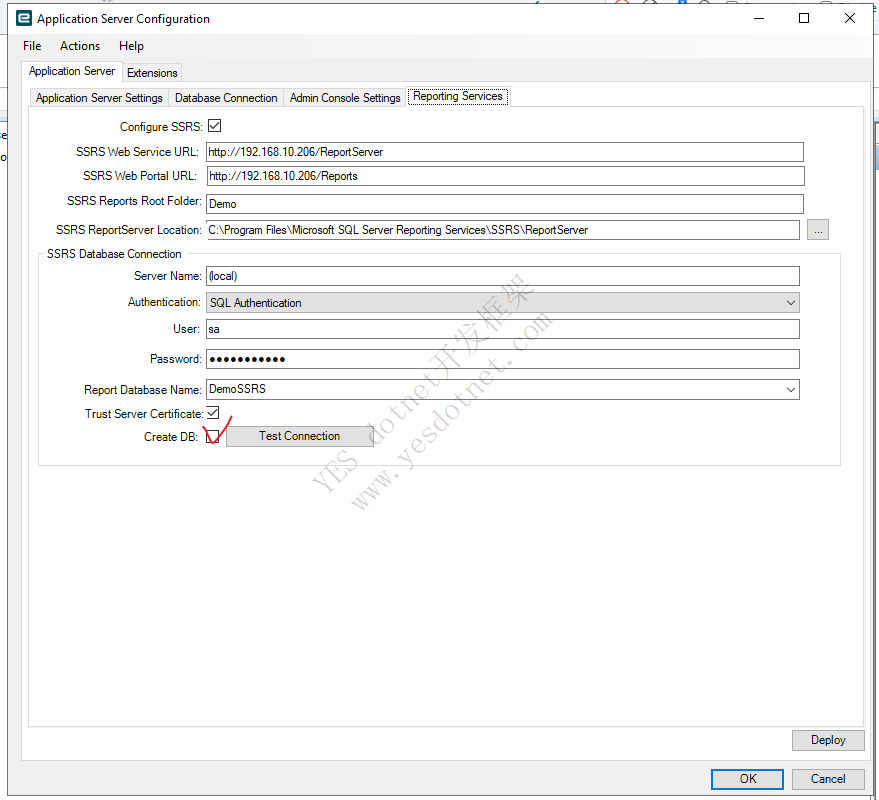
- Reporting Services 第一次需要勾选CreateDB。不然数据库中没有数据库会报错
- 四个tab页配置完成后再点击Deloy
七、Lic导入以及公司授权
7.1 导入lic
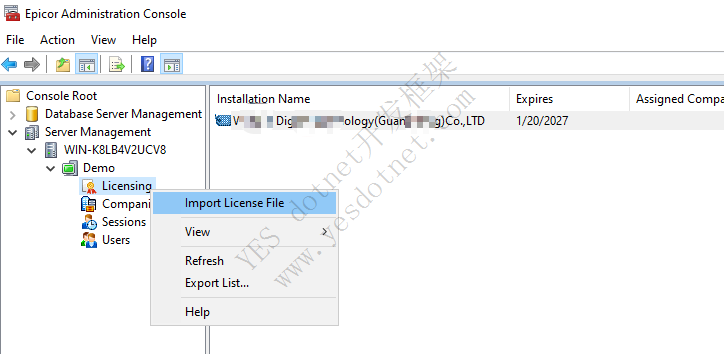
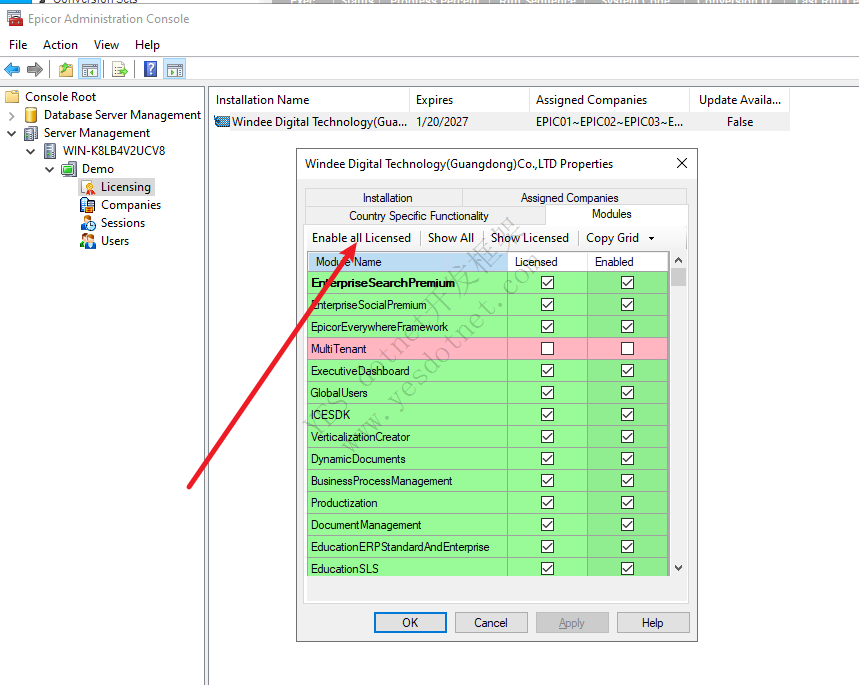
设置Enable All Licensed,不然后面转换的时候会因为却少模块
7.2 Companies中为公司设置lic
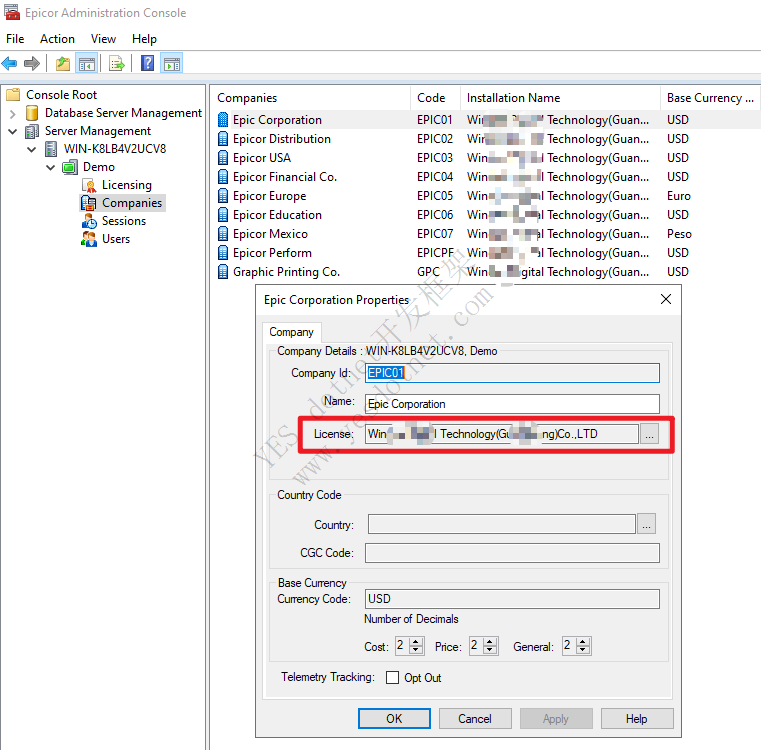
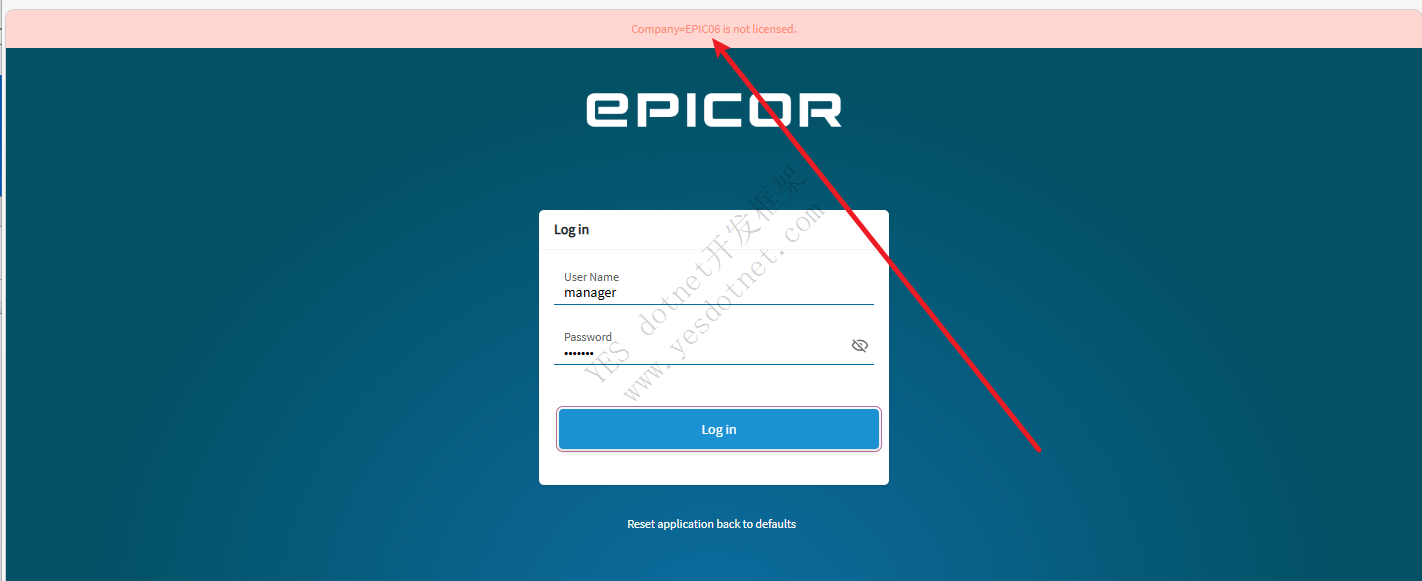
如果公司不设置License的话,登录会提示公司未授权
版权声明:本文为YES开发框架网发布内容,转载请附上原文出处连接
epicor 张国生



